Tesla 2026.38.5.1 Release Notes
Last updated 14-Oct-2026
Tesla 2026.38.5.1 Release notes including Automatic Collision Evasion, FSD (Supervised) v14.3.12, Full Self-Driving (Supervised), FSD (Supervised) v14.3 Lite, Arrival Options, Speed Profiles, UI Improvements, Start Self-Driving from Park, all generated by real cars. Each release note includes a list of the countries, mndels and certain hardware features which apply.
Release 2026.38.5.1
Including 2026.38.5.1, (0.21 % of cars)

Automatic Collision Evasion (part of 2026.38.5.1)
Automatic Collision Evasion activates Full Self-Driving (Supervised) to try to keep your vehicle safe and then continue driving. It can engage in the following situations while you are driving manually:
- Scenario 1: A frontal collision is imminent and braking alone may not avoid it.
- Scenario 2: Your vehicle detects that you are not sufficiently attentive to the road (for example, reaching toward the back seat), and that Full Self-Driving (Supervised) may have been unintentionally disengaged.
See your Owner's Manual for more details.
Seen in US
Seen on MY(J)
Seen on AP versions AP4
Seen on MCU hardware Ryzen
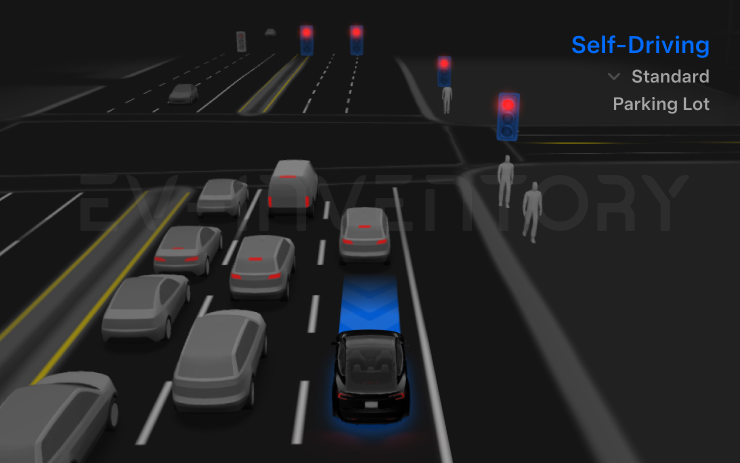
FSD (Supervised) v14.3.12 (part of 2026.38.5.1)
Full Self-Driving (Supervised) v14.3.12 includes:
- Upgraded the Reinforcement Learning (RL) stage of training the FSD neural network, resulting in improvements in a wide variety of driving scenarios.
- Upgraded the neural network vision encoder, improving understanding in rare and low-visibility scenarios, strengthening 3D geometry understanding, and expanding traffic sign understanding.
- Rewrote the AI compiler and runtime from the ground up with MLIR, resulting in 20% faster reaction time and improving model iteration speed.
- Mitigated unnecessary lane biasing and minor tailgating behaviors.
- Increased decisiveness of parking spot selection and maneuvering.
- Improved parking location pin prediction, now shown on a map with a P icon.
- Enhanced response to emergency vehicles, school buses, right-of-way violators, and other rare vehicles.
- Improved handling of small animals by focusing RL training on harder examples and adding rewards for better proactive safety.
- Improved traffic light handling at complex intersections with compound lights, curved roads, and yellow light stopping — driven by training on hard RL examples sourced from the Tesla fleet.
- Improved handling for rare and unusual objects extending, hanging, or leaning into the vehicle path by sourcing infrequent events from the fleet.
- Improved handling of temporary system degradations by maintaining control and automatically recovering without driver intervention, reducing unnecessary disengagements.
- Improved driver monitoring system sensitivity with better eye gaze tracking, eye wear handling, and higher accuracy in variable lighting conditions.
- Unified the model between Actually Smart Summon, FSD, and Robotaxi for more capable and reliable behavior.
- Actually Smart Summon max speed is now increased to 8mph (13km/h).
- Help Tesla improve Self-Driving by selecting an intervention reason on the main screen after taking over.
- You can now see distance traveled in FSD (Supervised) without an intervention. The Self-Driving App will also show your longest intervention-free streak.
- Parking options now display on the map when arriving at your destination.
Upcoming Improvements:
- Expand reasoning to all behaviors beyond destination handling.
- Add pothole avoidance.
Seen in US
Seen on MY(J)
Seen on AP versions AP4
Seen on MCU hardware Ryzen
Full Self-Driving (Supervised) (part of 2026.38.5.1)
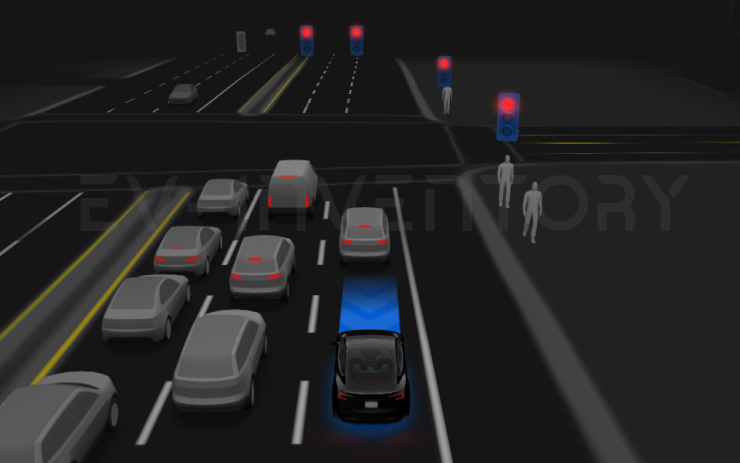
Under your supervision, Full Self-Driving (Supervised) can drive your Tesla almost anywhere. It will start from a parked position, make lane changes, select forks to follow your navigation route, navigate around other vehicles and objects, make left and right turns and park at your destination. You and anyone you authorize must use additional caution and remain attentive. It does not make your vehicle autonomous. Do not become complacent.
Full Self-Driving (Supervised) is enabled on your vehicle. To use the feature, press the Start Self-Driving button on the UI, or press the right scroll wheel button once. You can disable Full Self-Driving (Supervised) in Self-Driving Settings.
Seen in US
Seen on M3 MY(J)
Seen on AP versions AP3 AP4
Seen on MCU hardware Ryzen
FSD (Supervised) v14.3 Lite (part of 2026.38.5.1)
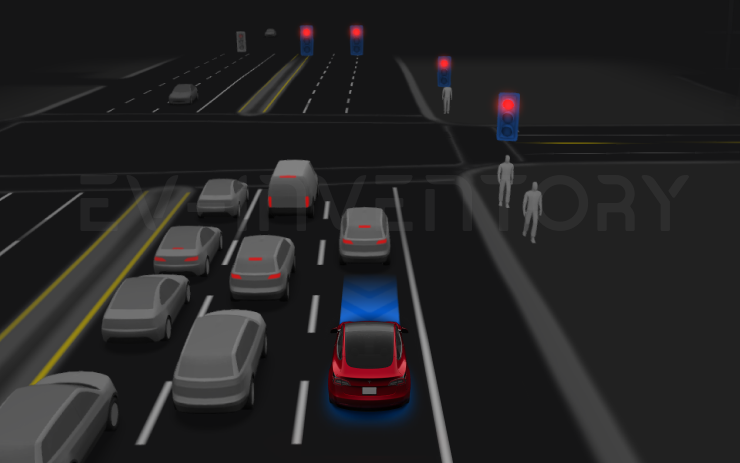
FSD (Supervised) v14.3 Lite includes:
- Distilled the intelligence from HW4 V14 into HW3. This allows HW3 to directly learn how to handle scenarios using HW4 V14 as a guide. This process unlocks the improvements that have been made to HW4 including Reinforcement Learning (RL) and offline models for HW3.
- Improved both proactive and reactive responsiveness across a wide variety of categories including navigation handling, merges and forks, pedestrian interactions, traffic lights, and vehicle cut-in scenarios.
- Improved general comfort in nominal scenarios through fewer false slowdowns, smoother steering and more consistent lane centering.
- Introduced parking, unparking, and reversing capabilities.
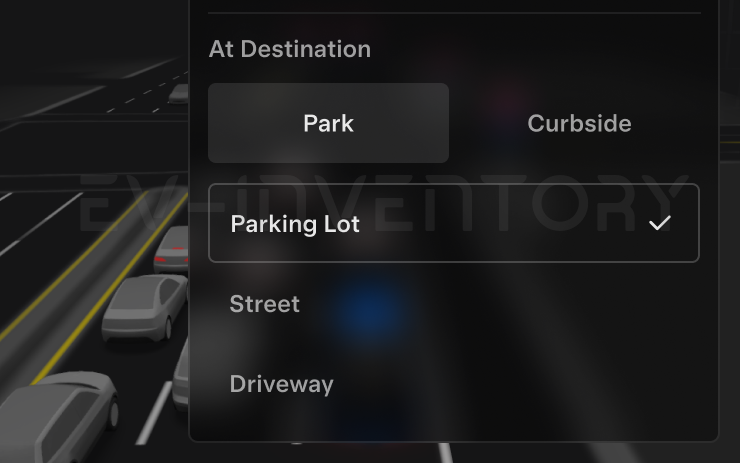
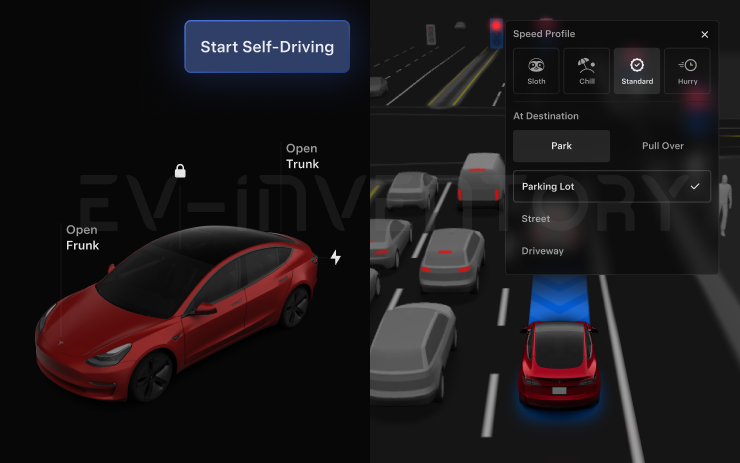
- Added Arrival Options for you to select where FSD should pull over or park: in a Parking Lot, on the Street, in a Driveway.
- Speed Profiles are now available at all times, to further customize driving style preference.
Seen in US
Seen on M3
Seen on AP versions AP3
Seen on MCU hardware Ryzen
Arrival Options (part of 2026.38.5.1)
- You can now select an arrival option such as Parking Lot, Street, Driveway, and Pull Over for Robotaxi-style drop offs.
- Your preferences for arrival options and preferred parking positions are persisted for each destination.
Seen in US
Seen on M3
Seen on AP versions AP3
Seen on MCU hardware Ryzen
Speed Profiles (part of 2026.38.5.1)
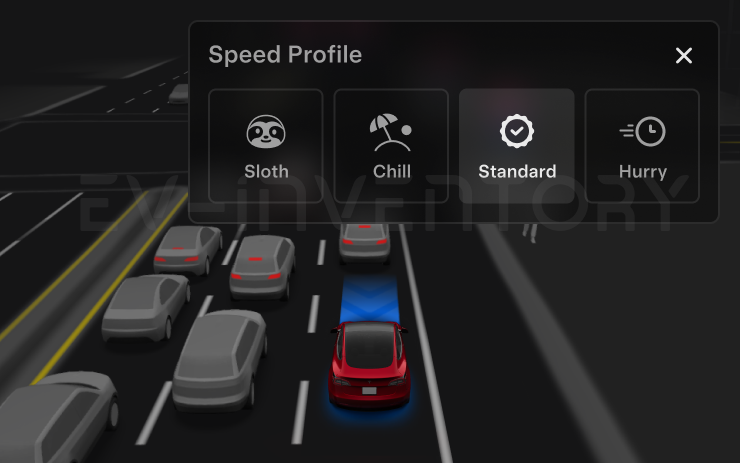
FSD (Supervised) will now determine the appropriate speed based on a mix of driver profile, speed limit, and surrounding traffic.
- Introduced new Speed Profile SLOTH, which comes with lower speeds & more conservative lane selection than CHILL.
- Driver profile now has a stronger impact on behavior. The more assertive the profile, the higher the max speed.
- Right scroll-wheel up/down now adjusts Speed Profile setting rather than your precise max speed offset selection in mph/kph.
Seen in US
Seen on M3
Seen on AP versions AP3
Seen on MCU hardware Ryzen
UI Improvements (part of 2026.38.5.1)
Adjust settings like the Speed Profile and Arrival Options directly from the Self-Driving visualization on the center display.
Seen in US
Seen on M3
Seen on AP versions AP3
Seen on MCU hardware Ryzen
Start Self-Driving from Park (part of 2026.38.5.1)
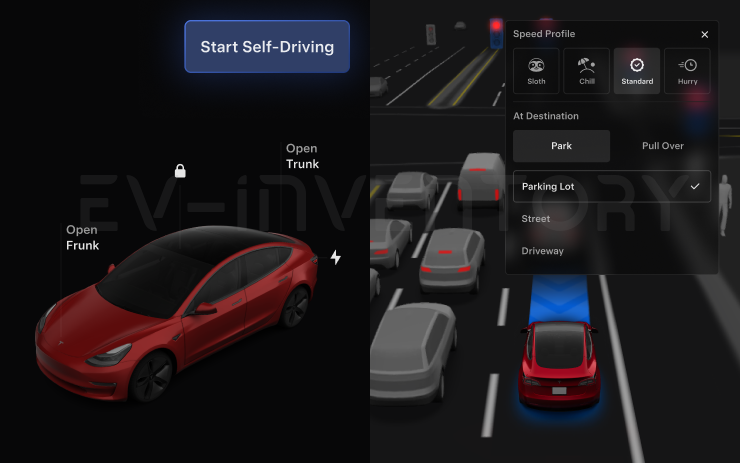
A button will appear on the screen when driver requirements are met. Driver requirements include (but are not limited to):
- Driver is seated in driver's seat
- Driver is buckled
- Cabin Camera is unobstructed
Brake Confirm requires the driver to press and release the brake pedal before FSD (Supervised) can be activated. When Brake Confirm is disabled, pressing the button will allow Self-Driving to apply the brakes and engage FSD (Supervised). If driver detection requirements are not met or if FSD (Supervised) does not detect a driver, you will be required to press and release the brake pedal to confirm. You can enable Brake Confirm in Self-Driving > Brake Confirm.
This feature does not make your vehicle autonomous and you must remain attentive and be ready to take over at any time. Only a licensed driver authorized to operate the vehicle should be allowed access to the driver's seat position any time the vehicle is not in Theater or Arcade modes.
Seen in US
Seen on M3
Seen on AP versions AP3
Seen on MCU hardware Ryzen
Other release notes for the family: 2026.38
Automatic Collision Evasion (part of 2026.38.5.1)
Automatic Collision Evasion activates Full Self-Driving (Supervised) to try to keep your vehicle safe and then continue driving. It can engage in the following situations while you are driving manually:
- Scenario 1: A frontal collision is imminent and braking alone may not avoid it.
- Scenario 2: Your vehicle detects that you are not sufficiently attentive to the road (for example, reaching toward the back seat), and that Full Self-Driving (Supervised) may have been unintentionally disengaged.
See your Owner's Manual for more details.
Seen in US
Seen on MY(J)
Seen on AP versions AP4
Seen on MCU hardware Ryzen
FSD (Supervised) v14.3.12 (part of 2026.38.5.1)
Full Self-Driving (Supervised) v14.3.12 includes:
- Upgraded the Reinforcement Learning (RL) stage of training the FSD neural network, resulting in improvements in a wide variety of driving scenarios.
- Upgraded the neural network vision encoder, improving understanding in rare and low-visibility scenarios, strengthening 3D geometry understanding, and expanding traffic sign understanding.
- Rewrote the AI compiler and runtime from the ground up with MLIR, resulting in 20% faster reaction time and improving model iteration speed.
- Mitigated unnecessary lane biasing and minor tailgating behaviors.
- Increased decisiveness of parking spot selection and maneuvering.
- Improved parking location pin prediction, now shown on a map with a P icon.
- Enhanced response to emergency vehicles, school buses, right-of-way violators, and other rare vehicles.
- Improved handling of small animals by focusing RL training on harder examples and adding rewards for better proactive safety.
- Improved traffic light handling at complex intersections with compound lights, curved roads, and yellow light stopping — driven by training on hard RL examples sourced from the Tesla fleet.
- Improved handling for rare and unusual objects extending, hanging, or leaning into the vehicle path by sourcing infrequent events from the fleet.
- Improved handling of temporary system degradations by maintaining control and automatically recovering without driver intervention, reducing unnecessary disengagements.
- Improved driver monitoring system sensitivity with better eye gaze tracking, eye wear handling, and higher accuracy in variable lighting conditions.
- Unified the model between Actually Smart Summon, FSD, and Robotaxi for more capable and reliable behavior.
- Actually Smart Summon max speed is now increased to 8mph (13km/h).
- Help Tesla improve Self-Driving by selecting an intervention reason on the main screen after taking over.
- You can now see distance traveled in FSD (Supervised) without an intervention. The Self-Driving App will also show your longest intervention-free streak.
- Parking options now display on the map when arriving at your destination.
Upcoming Improvements:
- Expand reasoning to all behaviors beyond destination handling.
- Add pothole avoidance.
Seen in US
Seen on MY(J)
Seen on AP versions AP4
Seen on MCU hardware Ryzen
Full Self-Driving (Supervised) (part of 2026.38.5.1)
Under your supervision, Full Self-Driving (Supervised) can drive your Tesla almost anywhere. It will start from a parked position, make lane changes, select forks to follow your navigation route, navigate around other vehicles and objects, make left and right turns and park at your destination. You and anyone you authorize must use additional caution and remain attentive. It does not make your vehicle autonomous. Do not become complacent.
Full Self-Driving (Supervised) is enabled on your vehicle. To use the feature, press the Start Self-Driving button on the UI, or press the right scroll wheel button once. You can disable Full Self-Driving (Supervised) in Self-Driving Settings.
Seen in US
Seen on M3 MY(J)
Seen on AP versions AP3 AP4
Seen on MCU hardware Ryzen
FSD (Supervised) v14.3 Lite (part of 2026.38.5.1)
FSD (Supervised) v14.3 Lite includes:
- Distilled the intelligence from HW4 V14 into HW3. This allows HW3 to directly learn how to handle scenarios using HW4 V14 as a guide. This process unlocks the improvements that have been made to HW4 including Reinforcement Learning (RL) and offline models for HW3.
- Improved both proactive and reactive responsiveness across a wide variety of categories including navigation handling, merges and forks, pedestrian interactions, traffic lights, and vehicle cut-in scenarios.
- Improved general comfort in nominal scenarios through fewer false slowdowns, smoother steering and more consistent lane centering.
- Introduced parking, unparking, and reversing capabilities.
- Added Arrival Options for you to select where FSD should pull over or park: in a Parking Lot, on the Street, in a Driveway.
- Speed Profiles are now available at all times, to further customize driving style preference.
Seen in US
Seen on M3
Seen on AP versions AP3
Seen on MCU hardware Ryzen
Arrival Options (part of 2026.38.5.1)
- You can now select an arrival option such as Parking Lot, Street, Driveway, and Pull Over for Robotaxi-style drop offs.
- Your preferences for arrival options and preferred parking positions are persisted for each destination.
Seen in US
Seen on M3
Seen on AP versions AP3
Seen on MCU hardware Ryzen
Speed Profiles (part of 2026.38.5.1)
FSD (Supervised) will now determine the appropriate speed based on a mix of driver profile, speed limit, and surrounding traffic.
- Introduced new Speed Profile SLOTH, which comes with lower speeds & more conservative lane selection than CHILL.
- Driver profile now has a stronger impact on behavior. The more assertive the profile, the higher the max speed.
- Right scroll-wheel up/down now adjusts Speed Profile setting rather than your precise max speed offset selection in mph/kph.
Seen in US
Seen on M3
Seen on AP versions AP3
Seen on MCU hardware Ryzen
UI Improvements (part of 2026.38.5.1)
Adjust settings like the Speed Profile and Arrival Options directly from the Self-Driving visualization on the center display.
Seen in US
Seen on M3
Seen on AP versions AP3
Seen on MCU hardware Ryzen
Start Self-Driving from Park (part of 2026.38.5.1)
A button will appear on the screen when driver requirements are met. Driver requirements include (but are not limited to):
- Driver is seated in driver's seat
- Driver is buckled
- Cabin Camera is unobstructed
Brake Confirm requires the driver to press and release the brake pedal before FSD (Supervised) can be activated. When Brake Confirm is disabled, pressing the button will allow Self-Driving to apply the brakes and engage FSD (Supervised). If driver detection requirements are not met or if FSD (Supervised) does not detect a driver, you will be required to press and release the brake pedal to confirm. You can enable Brake Confirm in Self-Driving > Brake Confirm.
This feature does not make your vehicle autonomous and you must remain attentive and be ready to take over at any time. Only a licensed driver authorized to operate the vehicle should be allowed access to the driver's seat position any time the vehicle is not in Theater or Arcade modes.
Seen in US
Seen on M3
Seen on AP versions AP3
Seen on MCU hardware Ryzen

Automatic Collision Evasion (part of 2026.38.5)
Automatic Collision Evasion activates Full Self-Driving (Supervised) to try to keep your vehicle safe and then continue driving. It can engage in the following situations while you are driving manually:
- Scenario 1: A frontal collision is imminent and braking alone may not avoid it.
- Scenario 2: Your vehicle detects that you are not sufficiently attentive to the road (for example, reaching toward the back seat), and that Full Self-Driving (Supervised) may have been unintentionally disengaged.
See your Owner's Manual for more details.
Seen in CA US
Seen on MY M3(H) MY(J)
Seen on AP versions AP4
Seen on MCU hardware Ryzen
FSD (Supervised) v14.3.12 (part of 2026.38.5)
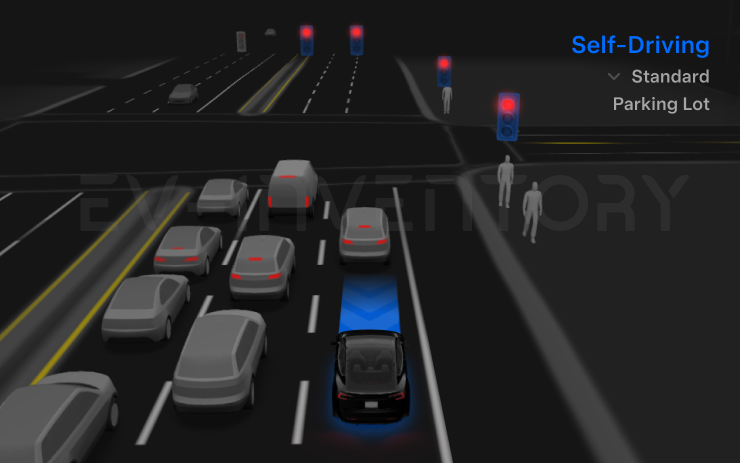
Full Self-Driving (Supervised) v14.3.12 includes:
- Upgraded the Reinforcement Learning (RL) stage of training the FSD neural network, resulting in improvements in a wide variety of driving scenarios.
- Upgraded the neural network vision encoder, improving understanding in rare and low-visibility scenarios, strengthening 3D geometry understanding, and expanding traffic sign understanding.
- Rewrote the AI compiler and runtime from the ground up with MLIR, resulting in 20% faster reaction time and improving model iteration speed.
- Mitigated unnecessary lane biasing and minor tailgating behaviors.
- Increased decisiveness of parking spot selection and maneuvering.
- Improved parking location pin prediction, now shown on a map with a P icon.
- Enhanced response to emergency vehicles, school buses, right-of-way violators, and other rare vehicles.
- Improved handling of small animals by focusing RL training on harder examples and adding rewards for better proactive safety.
- Improved traffic light handling at complex intersections with compound lights, curved roads, and yellow light stopping — driven by training on hard RL examples sourced from the Tesla fleet.
- Improved handling for rare and unusual objects extending, hanging, or leaning into the vehicle path by sourcing infrequent events from the fleet.
- Improved handling of temporary system degradations by maintaining control and automatically recovering without driver intervention, reducing unnecessary disengagements.
- Improved driver monitoring system sensitivity with better eye gaze tracking, eye wear handling, and higher accuracy in variable lighting conditions.
- Unified the model between Actually Smart Summon, FSD, and Robotaxi for more capable and reliable behavior.
- Actually Smart Summon max speed is now increased to 8mph (13km/h).
- Help Tesla improve Self-Driving by selecting an intervention reason on the main screen after taking over.
- You can now see distance traveled in FSD (Supervised) without an intervention. The Self-Driving App will also show your longest intervention-free streak.
- Parking options now display on the map when arriving at your destination.
Upcoming Improvements:
- Expand reasoning to all behaviors beyond destination handling.
- Add pothole avoidance.
Seen in CA US
Seen on MY M3(H) MY(J)
Seen on AP versions AP4
Seen on MCU hardware Ryzen
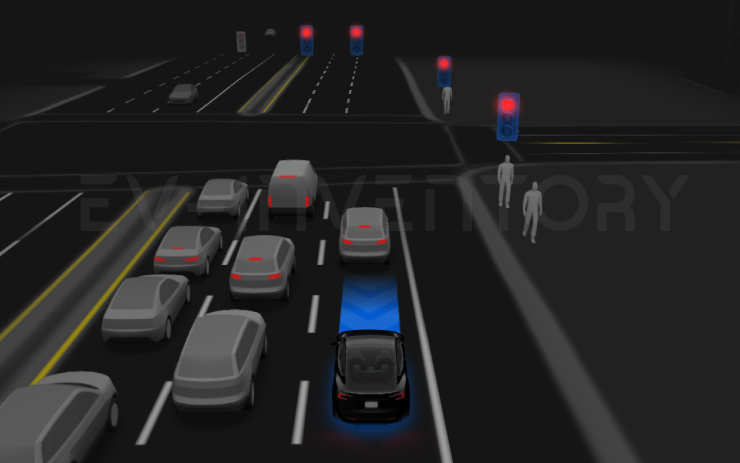
Full Self-Driving (Supervised) (part of 2026.38.5)
Under your supervision, Full Self-Driving (Supervised) can drive your Tesla almost anywhere. It will start from a parked position, make lane changes, select forks to follow your navigation route, navigate around other vehicles and objects, make left and right turns and park at your destination. You and anyone you authorize must use additional caution and remain attentive. It does not make your vehicle autonomous. Do not become complacent.
Full Self-Driving (Supervised) is enabled on your vehicle. To use the feature, press the Start Self-Driving button on the UI, or press the right scroll wheel button once. You can disable Full Self-Driving (Supervised) in Self-Driving Settings.
Seen in CA US
Seen on MX(2022+) MY M3(H) MY(J)
Seen on AP versions AP3 AP4
Seen on MCU hardware Ryzen
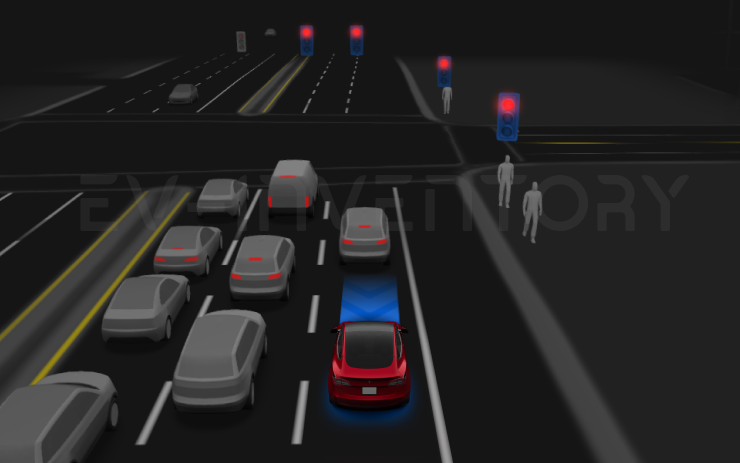
FSD (Supervised) v14.3 Lite (part of 2026.38.5)
FSD (Supervised) v14.3 Lite includes:
- Distilled the intelligence from HW4 V14 into HW3. This allows HW3 to directly learn how to handle scenarios using HW4 V14 as a guide. This process unlocks the improvements that have been made to HW4 including Reinforcement Learning (RL) and offline models for HW3.
- Improved both proactive and reactive responsiveness across a wide variety of categories including navigation handling, merges and forks, pedestrian interactions, traffic lights, and vehicle cut-in scenarios.
- Improved general comfort in nominal scenarios through fewer false slowdowns, smoother steering and more consistent lane centering.
- Introduced parking, unparking, and reversing capabilities.
- Added Arrival Options for you to select where FSD should pull over or park: in a Parking Lot, on the Street, in a Driveway.
- Speed Profiles are now available at all times, to further customize driving style preference.
Seen in US
Seen on MX(2022+)
Seen on AP versions AP3
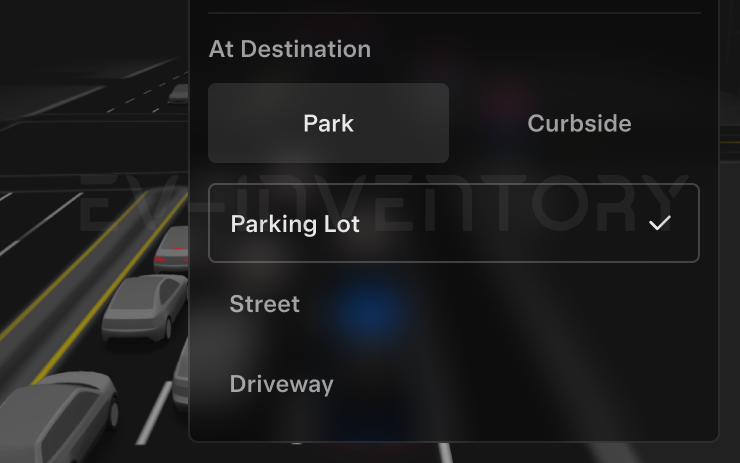
Arrival Options (part of 2026.38.5)
- You can now select an arrival option such as Parking Lot, Street, Driveway, and Pull Over for Robotaxi-style drop offs.
- Your preferences for arrival options and preferred parking positions are persisted for each destination.
Seen in US
Seen on MX(2022+)
Seen on AP versions AP3
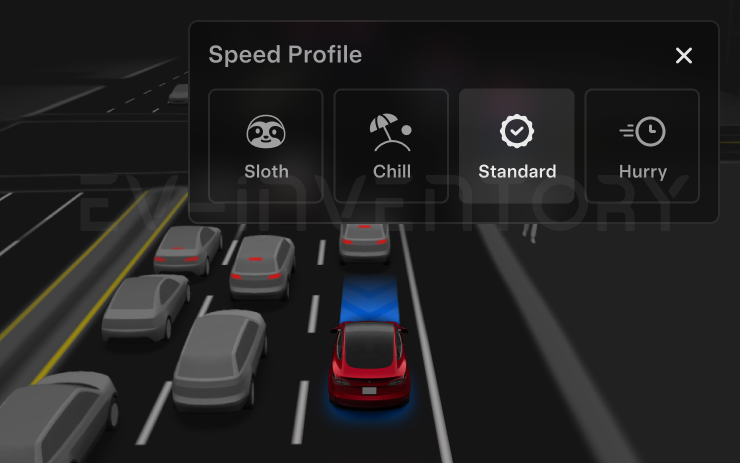
Speed Profiles (part of 2026.38.5)
FSD (Supervised) will now determine the appropriate speed based on a mix of driver profile, speed limit, and surrounding traffic.
- Introduced new Speed Profile SLOTH, which comes with lower speeds & more conservative lane selection than CHILL.
- Driver profile now has a stronger impact on behavior. The more assertive the profile, the higher the max speed.
- Right scroll-wheel up/down now adjusts Speed Profile setting rather than your precise max speed offset selection in mph/kph.
Seen in US
Seen on MX(2022+)
Seen on AP versions AP3
Start Self-Driving from Park (part of 2026.38.5)
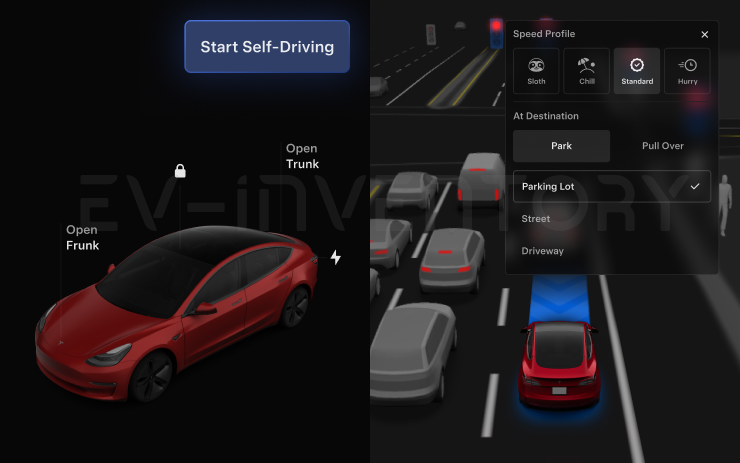
A button will appear on the screen when driver requirements are met. Driver requirements include (but are not limited to):
- Driver is seated in driver's seat
- Driver is buckled
- Cabin Camera is unobstructed
Brake Confirm requires the driver to press and release the brake pedal before FSD (Supervised) can be activated. When Brake Confirm is disabled, pressing the button will allow Self-Driving to apply the brakes and engage FSD (Supervised). You can enable Brake Confirm in Self-Driving > Brake Confirm.
This feature does not make your vehicle autonomous and you must remain attentive and be ready to take over at any time. Only a licensed driver authorized to operate the vehicle should be allowed access to the driver's seat position any time the vehicle is not in Theater or Arcade modes.
Seen in US
Seen on MX(2022+)
Seen on AP versions AP3
UI Improvements (part of 2026.38.5)
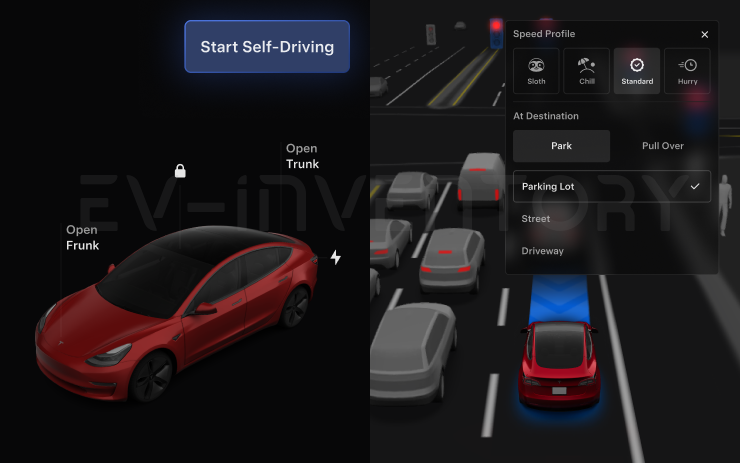
Adjust settings like the Speed Profile and Arrival Options directly from the Self-Driving visualization on the center display.
Seen in US
Seen on MX(2022+)
Seen on AP versions AP3
Halloween Mode (part of 2026.38.3.1)
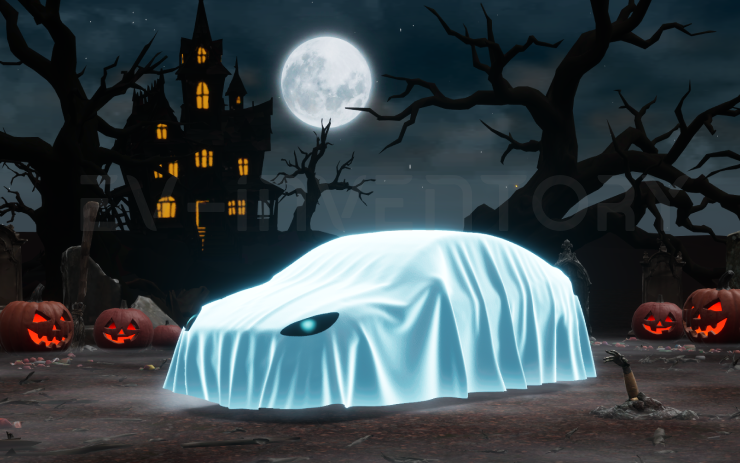
Spread holiday fear year round with Halloween Mode. Put a Ghost Costume on your car visualization. Turn on Trick or Treat Mode to play spooky sounds and flicker the lights when visitors approach. Schedule a haunting light show, and turn your car into a chilling Photobooth!
Seen in AE AT BE CA CH CZ DE DK ES FR GB HR HU IE IT NL NO PL RO SE SG SK TH TR UA US
Seen on MS MS(2021+) MX(2022+) M3 MY M3(H) MY(J)
Seen on AP versions AP3 AP4
Seen on MCU hardware Ryzen

Security Improvements (part of 2026.38.3.1)
This update includes important security fixes and improvements.
Seen in AE AT BE BG CA CH CZ DE DK EE ES FI FR GB HR HU IE IL IT MD NL NO PL PT RO SE SG SK TH TR UA US
Seen on MX MS(2021+) MX(2022+) M3 MY M3(H) MY(J)
Seen on AP versions AP1 AP2,5 AP3 AP4
Seen on MCU hardware Intel Ryzen
Emergency Drive Away (part of 2026.38.3.1)
Emergency Drive Away lets you shift into Drive while a Supercharger cable is still connected. Use it only in an emergency: driving away with the cable attached will damage your vehicle and the Supercharger, and you may be responsible for repair costs. When you activate this feature, short recordings from your vehicle's cameras are shared with Tesla.
Seen in UA US
Seen on MX(2022+) M3 MY M3(H) MY(J)
Seen on AP versions AP2,5 AP3 AP4
Seen on MCU hardware Intel Ryzen
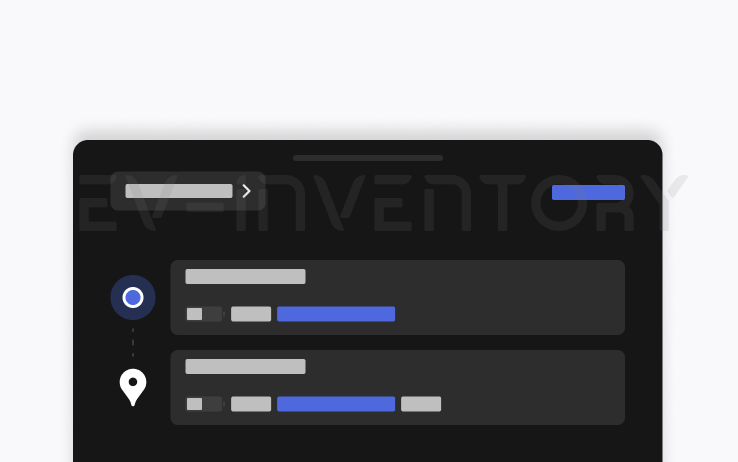
Set Arrival Energy (part of 2026.38.3.1)
Set your desired Arrival Energy for any trip from your phone. Open the location tab in the Tesla Mobile App, enter your destination, and tap Set Arrival Energy. Requires Mobile App v4.58.0 or later.
Seen in SG TH
Seen on M3 M3(H) MY(J)
Seen on AP versions AP3 AP4
Seen on MCU hardware Intel Ryzen
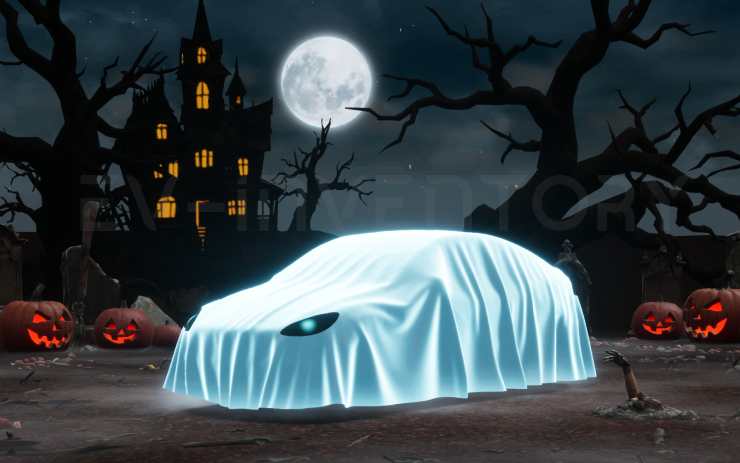
Halloween Mode (part of 2026.38.3)
Spread holiday fear year round with Halloween Mode. Put a Ghost Costume on your car visualization. Turn on Trick or Treat Mode to play spooky sounds and flicker the lights when visitors approach. Schedule a haunting light show, and turn your car into a chilling Photobooth!
Seen in DE ES TH
Seen on M3(H)
Seen on AP versions AP4
Seen on MCU hardware Ryzen
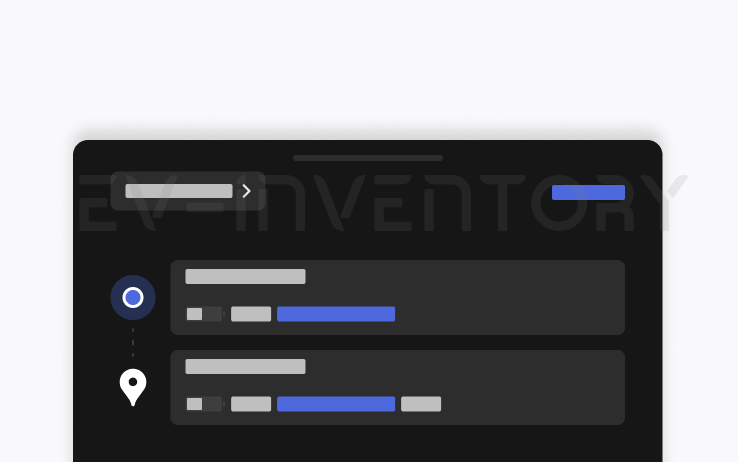
Set Arrival Energy (part of 2026.38.3)
Set your desired Arrival Energy for any trip from your phone. Open the location tab in the Tesla Mobile App, enter your destination, and tap Set Arrival Energy. Requires Mobile App v4.58.0 or later.
Seen in TH
Seen on M3(H)
Seen on AP versions AP4
Seen on MCU hardware Ryzen

Security Improvements (part of 2026.38.3)
This update includes important security fixes and improvements.
Seen in DE ES TH
Seen on M3(H)
Seen on AP versions AP4
Seen on MCU hardware Ryzen
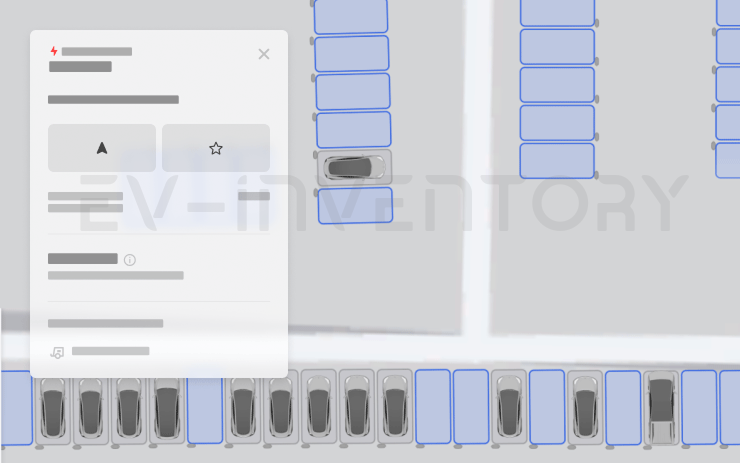
Supercharger Site Maps (part of 2026.38)
You can now see a detailed view of select Tesla Superchargers by tapping "View Site Map." When navigating to a pilot location, the site layout and live occupancy (Available / Occupied / Down) will be displayed upon arrival.
Seen in BE CA CH DK ES FR GB HU NL US
Seen on MX M3 MY
Seen on AP versions AP1 AP2,5 AP3
Seen on MCU hardware Intel

Security Improvements (part of 2026.38)
This update includes important security fixes and improvements.
Seen in AE AT BE CA CH DE DK ES FI FR GB HU IE IT NL NO PL RO SK TR US
Seen on MX MX(2022+) M3 MY M3(H) MY(J)
Seen on AP versions AP1 AP2,5 AP3 AP4
Seen on MCU hardware Intel Ryzen
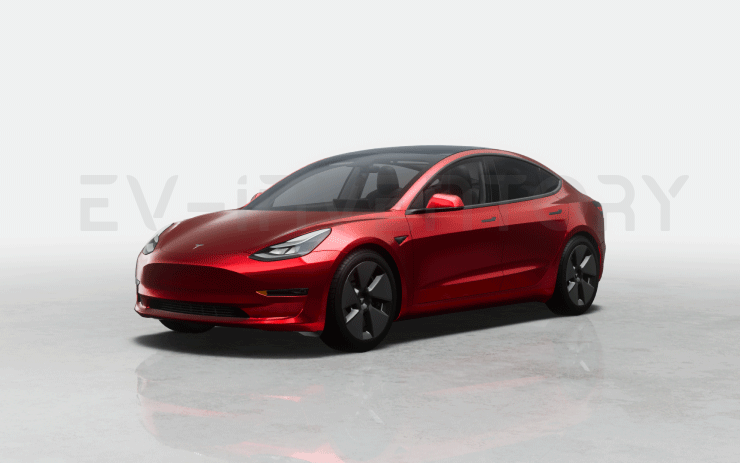
Visual Updates (part of 2026.38)
The center display now features higher quality images of your Tesla, and an enhanced park scene environment.
Seen in AT CH DE ES FI FR GB IT NL NO PL SK US
Seen on M3 MY
Seen on AP versions AP3 AP4
Seen on MCU hardware Ryzen

Dynamic Headlight Leveling (part of 2026.38)
Low beams will automatically adjust their aim based on driving conditions and nearby traffic to maximize your visibility while reducing glare for other road users.
Seen in US
Seen on M3 M3(H)
Seen on AP versions AP3 AP4
Seen on MCU hardware Intel Ryzen
Reboot after an update
Lot's of people have random issues after a software install, many of them curing themselves after a reboot. As a general rule, we'd suggest always doing a scroll wheel reboot after a software update, simply press the two steering wheel scroll wheels until the screen turns off and then let go. The screen will come back within a minute or so, depending on hardware. It's certainly worth doing this is you notice any unusual behaviour, but prevention is better than cure. There's a second reset option which is to change the car configuration slightly, either the language, or wheel type. This also causes the car to do a soft reset and this has returned missing features such as Tidal. Our Guide to rebooting your Tesla provides more details.
How to get the latest Tesla Software Update?
In a word, you can't really force it yourself although you can help the car to download the update once it's been allocated to have an update. To do so, connect the car to WiFi, and maybe even consider a wireless hotspot when in use. Car's not connected to WiFi generally do not receive updates quickly.
If you visit the software screen and see the car hasn't checked for a few days, perform a scroll wheel reset. The car typically checks as soon as it reboots and we've had a software update immediately afterwards as a result.
You may find the car sticks at 50% for a while. We've seen reports that keeping the car awake will help speed past past this point as the car will try and sleep and halt the process. Even keeping the mobile phone app open may help to prevent the car sleeping.
Why do I not get some of the features or changes mentioned?
There are a number of reasons why a particular feature or change may not be included when your car upgrades. These include regional restrictions, hardware specific features, model specific updates and some changes are linked to software options purchased such as EAP or FSD. There are also times when software release notes are provided but only Tesla test engineers get the updates.
Not having a listed feature or update for a particular car is therefore quite normal. Some websites try to detail which cars get which features but this is often inaccurate, such as the blended braking update that came out with 2022.16 and the alternate routes option in 2022.28.
Against each release note we now list the car models and countries where a particular release note has been seen.
I thought I already had a listed feature?
Just as a feature may not land in every car, the feature may be mentioned in later releases when your car already has it. The release notes in the car are tuned to your car so, and while in general the car will only report a new feature once, that is not a rule that always holds true. Some websites say the feature is not available in your country whereas the reality is the feature has been there for some time
I'm on the FSD City Streets Beta
The FSD City Streets Beta is usually 2 to 3 releases behind the general software releases. This is normal.
Numbering convention
Release notes are numbered roughly using the a year.family.major.minor format. The year is self explanatory, the family release typically increments in 4's and is roughly the week of the year when the release family is launched, although these tend to slip over the course of the year. The major and minor release numbers of much debated, we personally believe these rarely contain new features not included in the family, and if there are differences it is linked to hardware specific versions.
When reviewing release notes, you may be interested in how a feature has evolved. To enable this we have also included a keyword search where you can search for a word or phrase and we will filter the results accordingly.