Tesla 2025.47 Release Notes
Last updated 25-Dec-2025
Tesla 2025.47 Release notes including Brake Confirm, Dashcam Viewer Update, Dog Mode Live Activity on iOS, Forward Collision Warning Improvements, FSD (Supervised) v14.1.4, Full Self-Driving (Supervised), Light Show Update, Minor Updates, Navigation Improvements, Phone Left On Wireless Charger, Santa Mode Updates, Save Charge Limit by Location, Speed Profiles, Tesla Photobooth, UI Improvements, all generated by real cars. Each release note includes a list of the countries, mndels and certain hardware features which apply.
For information on which versions are on specific models and years, see our Trending Tesla releases and statistics for more information.
Release 2025.47
Including 2025.47.5, (<0.1% of cars)
Regional availability of 2025.47 by modelNorth America-----Europe-----RoW-MX---
A more detailed heat map and release statistics are available.
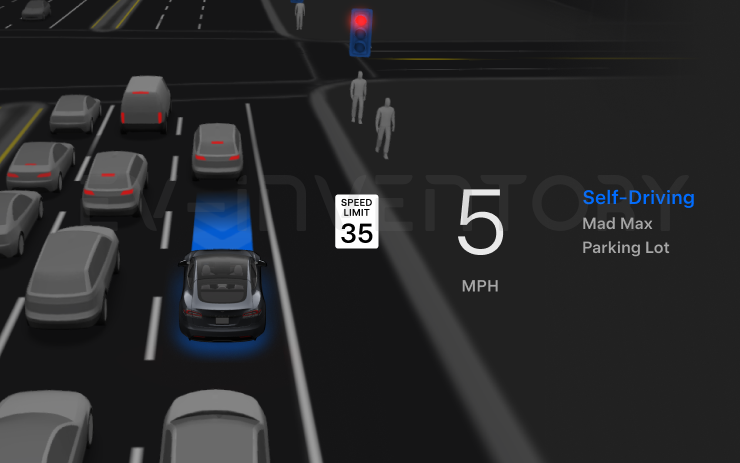
FSD (Supervised) v14.1.4 (part of 2025.47.5)
- Added Arrival Options for you to select whether FSD should park or stop curbside.
- Added navigation and routing into the vision-based neural network for real-time handling of blocked roads and detours.
- Added additional Speed Profile to further customize driving style preference.
- Improved handling for static and dynamic gates.
- Improved offsetting for road debris (e.g. tires, tree branches, boxes).
- Improve handling of several scenarios including: unprotected turns, lane changes, vehicle cut-ins, and school busses.
- Improved FSD's ability to manage system faults and recover smoothly from degraded operation for enhanced reliability.
- Added alerting for residue build-up on interior windshield that may impact front camera visibility. If affected, visit Service for cleaning!
Upcoming Improvements:
- Overall smoothness and sentience
- Parking spot selection and parking quality
Seen in KR
Seen on MX(2022+)
Seen on AP versions AP4
Seen on MCU hardware Ryzen
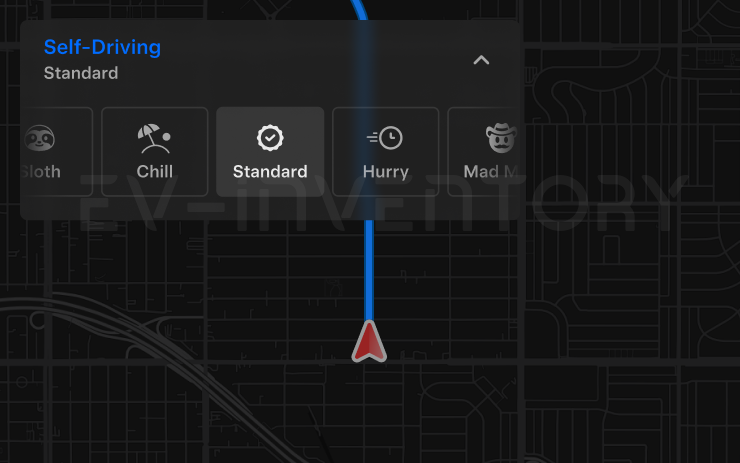
Speed Profiles (part of 2025.47.5)
FSD (Supervised) will now determine the appropriate speed based on a mix of driver profile, speed limit, and surrounding traffic. However, the speed determined by the FSD (Supervised) may differ from the speed limit, and the driver is responsible for controlling the vehicle speed at all times.
- Introduced new Speed Profile SLOTH, which comes with lower speeds & more conservative lane selection than CHILL.
- Introduced new speed profile MAD MAX, which comes with higher speeds and more frequent lane changes than HURRY.
- Driver profile now has a stronger impact on behavior. The more assertive the profile, the higher the max speed.
- Right scroll-wheel up/down now adjusts Speed Profile setting rather than your precise max speed offset selection in mph/kph.
Seen in KR
Seen on MX(2022+)
Seen on AP versions AP4
Seen on MCU hardware Ryzen
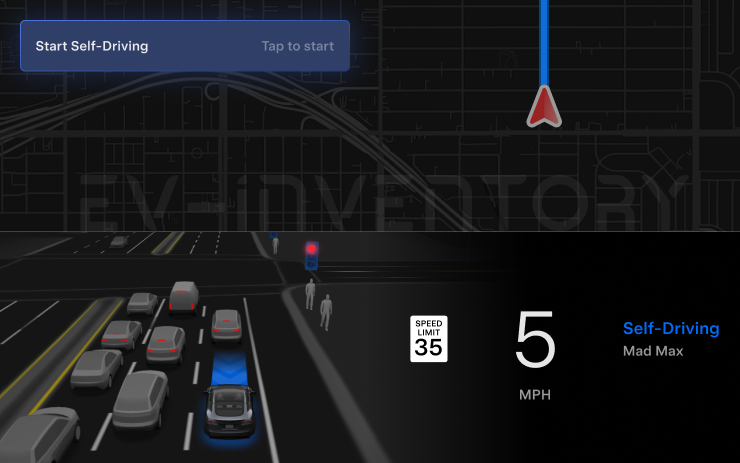
UI Improvements (part of 2025.47.5)
- Start Self-Driving with a tap of the touchscreen from Park, or any time during your drive.
- Adjust settings like the Speed Profile and Arrival Options directly from the Autopilot visualization on the center display.
Seen in KR
Seen on MX(2022+)
Seen on AP versions AP4
Seen on MCU hardware Ryzen
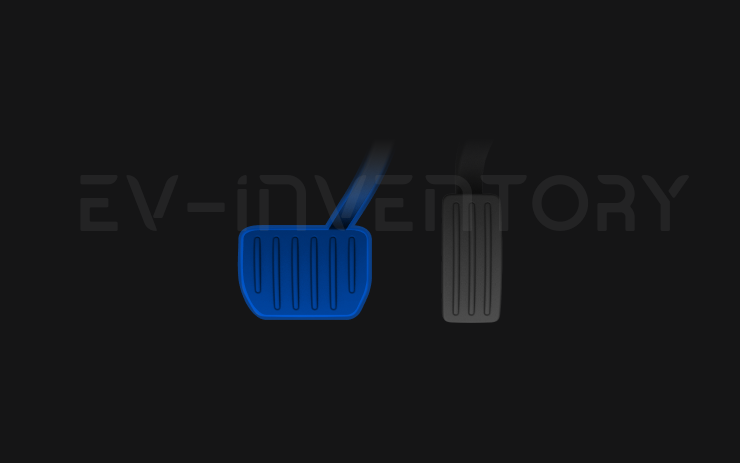
Brake Confirm (part of 2025.47.5)
Brake Confirm for the Start Self-Driving button is defaulted off. When disabled, Start Self-Driving will not require you to press and release the brake to confirm engagement.
You can enable Brake Confirm in Autopilot > Brake Confirm.
Seen in KR
Seen on MX(2022+)
Seen on AP versions AP4
Seen on MCU hardware Ryzen
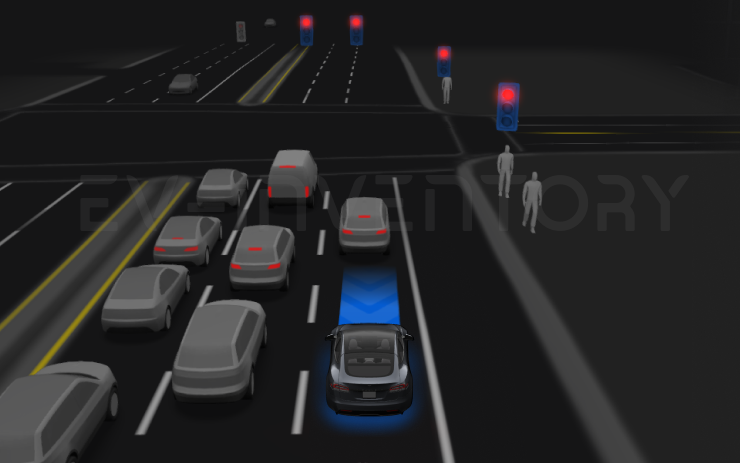
Full Self-Driving (Supervised) (part of 2025.47.5)
Under your supervision, Full Self-Driving (Supervised) can drive your Tesla almost anywhere. It will start from a parked position, make lane changes, select forks to follow your navigation route, navigate around other vehicles and objects, make left and right turns and park at your destination. You and anyone you authorize must use additional caution and remain attentive. It does not make your vehicle autonomous. Do not become complacent.
Full Self-Driving (Supervised) is enabled on your vehicle. To use the feature, press the Start Self-Driving button on the UI, or press the right scroll wheel button once. You can disable Full Self-Driving (Supervised) in Autopilot Settings.
Seen in KR
Seen on MX(2022+)
Seen on AP versions AP4
Seen on MCU hardware Ryzen
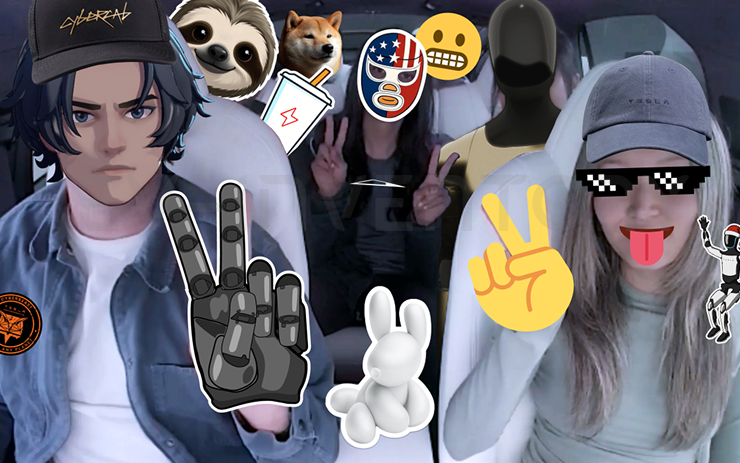
Tesla Photobooth (part of 2025.47.5)
Turn your car into a photobooth! Take selfies from inside your Tesla and give yourself a makeover with fun filters, stickers, and emojis. Share your stylish photos with friends and family right from the Tesla App. Your car must be in Park. Requires Tesla App version 4.51.5+.
Go to App Launcher > Toybox > Photobooth.
Seen in KR
Seen on MX(2022+)
Seen on AP versions AP4
Seen on MCU hardware Ryzen
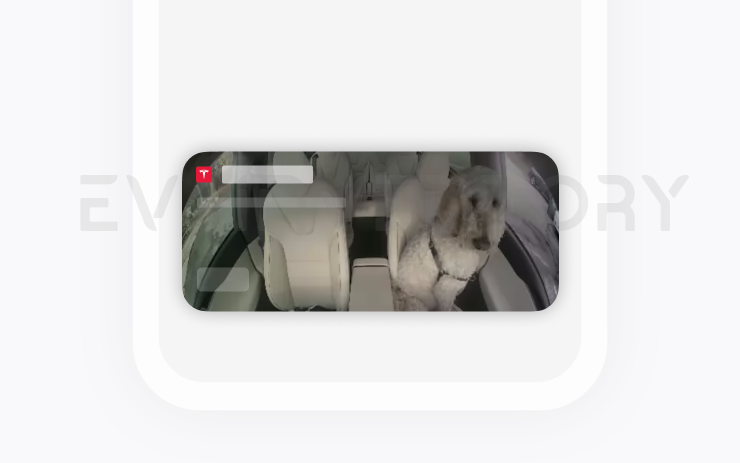
Dog Mode Live Activity on iOS (part of 2025.47.5)
Keep an eye on your pet! When Dog Mode is active, you’ll see a Live Activity on your iPhone with live updates on temperature and climate conditions. If you have Premium Connectivity, you’ll also get periodic snapshots of your vehicle’s cabin. Requires Tesla App version 4.51.5+.
Seen in KR
Seen on MX(2022+)
Seen on AP versions AP4
Seen on MCU hardware Ryzen
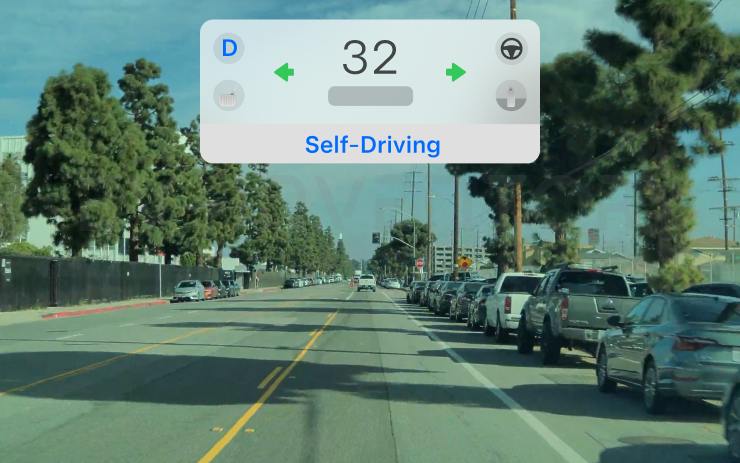
Dashcam Viewer Update (part of 2025.47.5)
Dashcam clips now include additional details such as speed, steering wheel angle, and self-driving state. These details are visible in the Dashcam Viewer during playback on the vehicle display. Playback in the Tesla App is also supported and requires Premium Connectivity and Tesla App version 4.51.5+.
To enable viewing on your phone, go to Controls > Safety and turn on View Camera via Mobile App.
Seen in KR
Seen on MX(2022+)
Seen on AP versions AP4
Seen on MCU hardware Ryzen
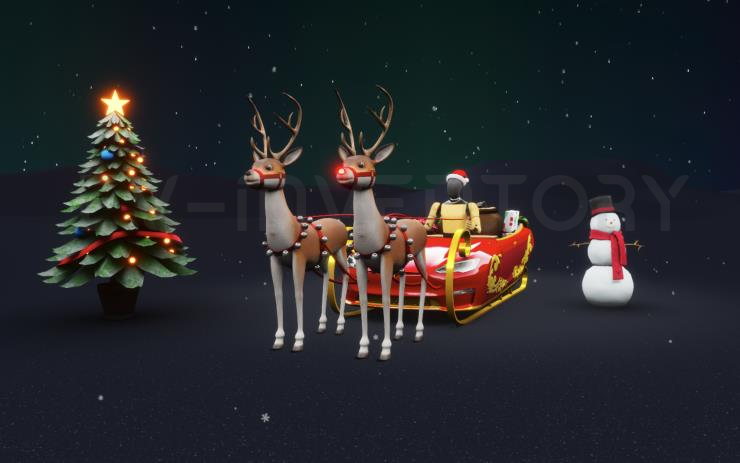
Santa Mode Updates (part of 2025.47.5)
Spread holiday cheer year round and transform your in-car experience with holiday themed effects. Santa Mode now adds festive snowmen, trees, a lock chime, and snow effects for a 3D visual treat.
Go to App Launcher > Toybox > Santa.
Seen in KR
Seen on MX(2022+)
Seen on AP versions AP4
Seen on MCU hardware Ryzen
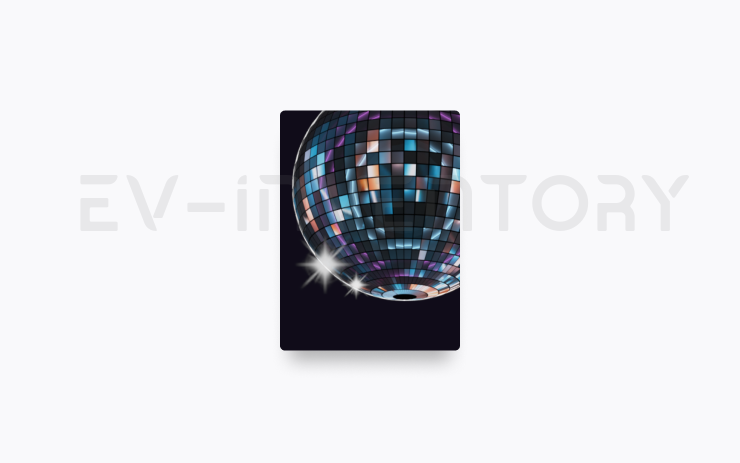
Light Show Update (part of 2025.47.5)
Time to celebrate with the latest Light Show - Jingle Rush. You can play the show instantly or schedule it up to 10 minutes in advance, either on a single vehicle or synced with friends. Light Show enthusiasts can control interior lighting, add display color effects, and create longer custom shows. To play a custom show, save the show files in a "LightShow" folder on your flash drive, connect, and select.
Start the show from your Tesla App or go App Launcher > Toybox > Light Show on your vehicle's touchscreen.
Seen in KR
Seen on MX(2022+)
Seen on AP versions AP4
Seen on MCU hardware Ryzen
Navigation Improvements (part of 2025.47.5)
You can now reorder your navigation favorites, set Home or Work by dropping a pin anywhere on the map, and view suggested destinations based on your recent trips and habits.
Seen in KR
Seen on MX(2022+)
Seen on AP versions AP4
Seen on MCU hardware Ryzen
Phone Left On Wireless Charger (part of 2025.47.5)
Your vehicle will chime a few seconds after the doors close if a phone is left on the wireless charger and no occupants are detected.
Go to Controls > Locks > Phone Left On Wireless Charger Chime.
Seen in KR
Seen on MX(2022+)
Seen on AP versions AP4
Seen on MCU hardware Ryzen

Save Charge Limit by Location (part of 2025.47.5)
You can now save a charge limit for your current location while parked, and it will be applied automatically next time you charge there.
Go to Controls > Charging.
Seen in KR
Seen on MX(2022+)
Seen on AP versions AP4
Seen on MCU hardware Ryzen
Forward Collision Warning Improvements (part of 2025.47.5)
Forward Collision Warning is now accompanied by haptic feedback in addition to audible and visual warnings. Warnings cancel automatically when the risk of a collision has been reduced.
Forward Collision Warning is enabled by default.
Seen in KR
Seen on MX(2022+)
Seen on AP versions AP4
Seen on MCU hardware Ryzen
Minor Updates (part of 2025.47.5)
- Enable or disable wireless phone charging pads in Controls > Charging.
- Your vehicle will now send a mobile alert if any cabin door is left open while Dog Mode is active.
- Add Spotify tracks to your queue right from the search screen.
- Scroll through large Spotify playlists, albums, podcasts, audiobooks, and your library seamlessly, without paging.
- Lock Sound now includes Light Cycle from Tron Mode. Go to App Launcher > Toybox > Boombox > Lock Sound.
- Allow your vehicle to share charging data with Tesla to support features like Charge Stats in the Tesla app.
Seen in KR
Seen on MX(2022+)
Seen on AP versions AP4
Seen on MCU hardware Ryzen
Reboot after an update
Lot's of people have random issues after a software install, many of them curing themselves after a reboot. As a general rule, we'd suggest always doing a scroll wheel reboot after a software update, simply press the two steering wheel scroll wheels until the screen turns off and then let go. The screen will come back within a minute or so, depending on hardware. It's certainly worth doing this is you notice any unusual behaviour, but prevention is better than cure. There's a second reset option which is to change the car configuration slightly, either the language, or wheel type. This also causes the car to do a soft reset and this has returned missing features such as Tidal. Our Guide to rebooting your Tesla provides more details.
How to get the latest Tesla Software Update?
In a word, you can't really force it yourself although you can help the car to download the update once it's been allocated to have an update. To do so, connect the car to WiFi, and maybe even consider a wireless hotspot when in use. Car's not connected to WiFi generally do not receive updates quickly.
If you visit the software screen and see the car hasn't checked for a few days, perform a scroll wheel reset. The car typically checks as soon as it reboots and we've had a software update immediately afterwards as a result.
You may find the car sticks at 50% for a while. We've seen reports that keeping the car awake will help speed past past this point as the car will try and sleep and halt the process. Even keeping the mobile phone app open may help to prevent the car sleeping.
Why do I not get some of the features or changes mentioned?
There are a number of reasons why a particular feature or change may not be included when your car upgrades. These include regional restrictions, hardware specific features, model specific updates and some changes are linked to software options purchased such as EAP or FSD. There are also times when software release notes are provided but only Tesla test engineers get the updates.
Not having a listed feature or update for a particular car is therefore quite normal. Some websites try to detail which cars get which features but this is often inaccurate, such as the blended braking update that came out with 2022.16 and the alternate routes option in 2022.28.
Against each release note we now list the car models and countries where a particular release note has been seen.
I thought I already had a listed feature?
Just as a feature may not land in every car, the feature may be mentioned in later releases when your car already has it. The release notes in the car are tuned to your car so, and while in general the car will only report a new feature once, that is not a rule that always holds true. Some websites say the feature is not available in your country whereas the reality is the feature has been there for some time
I'm on the FSD City Streets Beta
The FSD City Streets Beta is usually 2 to 3 releases behind the general software releases. This is normal.
Numbering convention
Release notes are numbered roughly using the a year.family.major.minor format. The year is self explanatory, the family release typically increments in 4's and is roughly the week of the year when the release family is launched, although these tend to slip over the course of the year. The major and minor release numbers of much debated, we personally believe these rarely contain new features not included in the family, and if there are differences it is linked to hardware specific versions.
When reviewing release notes, you may be interested in how a feature has evolved. To enable this we have also included a keyword search where you can search for a word or phrase and we will filter the results accordingly.